GB to TB

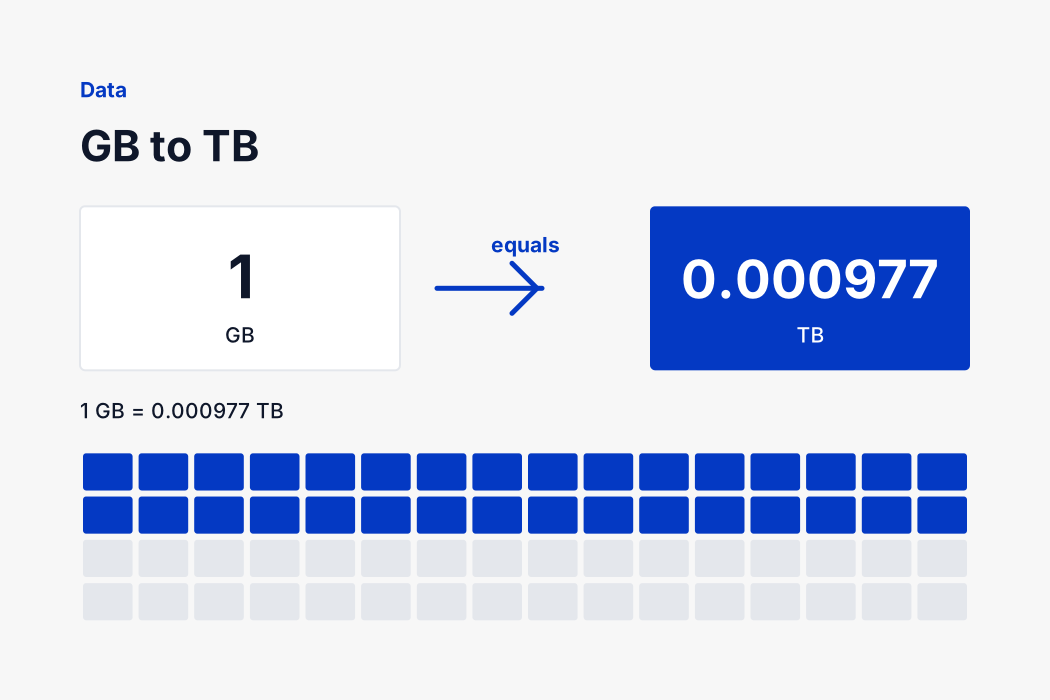
1 GB = 0.000977 TB

Exact factor Nothing uploaded Works offline No sign-up
GB
TB

1 GB = 0.000977 TB

Quick values

Why a new drive always looks short

You buy a one terabyte drive, plug it in, and the computer reports 931 GB. Nothing is broken and nothing is missing. The manufacturer counted one trillion bytes, calling that a terabyte, and your operating system divided by 1024 three times to get gigabytes.

A trillion divided by 1024 cubed is 931.32, and that is your missing sixty nine gigabytes. The same gap scales up: a 4 TB drive shows as 3.64 TB, and an 8 TB one shows as 7.28.

This page uses 1024, the convention your file manager uses, so the numbers here match what you actually see on screen. The chart below gives the decimal reading alongside it.

External drives labelled in terabytes beside a gigabyte capacity readout
How it works

Type, read, done

There is no convert button and no page reload. The answer updates on every keystroke.

1

Type your figure

Put a number of gigabytes into the left box. Decimals, negatives and very large values all work.

2

Read the answer

The terabytes figure appears as you type, along with the full sentence underneath so you can copy it whole.

3

Adjust or reverse

Change the decimal places, tap a quick value, or press swap to convert terabytes back to gigabytes.

The formula

This page uses the binary convention, where one terabyte is 1024 gigabytes. Drive manufacturers use 1000 instead, which is why a new one terabyte disk shows up as roughly 931 GB.

TB = GB × 0.0009765625

To go the other way: GB = TB ÷ 0.0009765625

Worked through with a real number, 1,024 GB becomes 1 TB. The calculation at the top of the page runs the same arithmetic as you type, to as many decimal places as you ask for.

Gigabytes to Terabytes conversion chart

Every value below is calculated with the exact factor rather than a rounded one, then displayed to 4 decimal places. Read it on screen or print the page, since the chart carries no scripts and needs no connection.

GigabytesTerabytesGigabytesTerabytes
100 GB0.0977 TB1,024 GB1 TB
128 GB0.125 TB2,000 GB1.9531 TB
250 GB0.2441 TB2,048 GB2 TB
256 GB0.25 TB4,096 GB4 TB
500 GB0.4883 TB5,120 GB5 TB
512 GB0.5 TB8,192 GB8 TB
1,000 GB0.9766 TB10,240 GB10 TB

The values people look up most

These are the gigabytes figures that get searched for by name, worked out with the exact factor rather than a rounded one.

  • 100 GB is 0.0977 TB.
  • 250 GB is 0.2441 TB.
  • 500 GB is 0.4883 TB.
  • 1,000 GB is 0.9766 TB.
  • 2,000 GB is 1.9531 TB.
  • 4,096 GB is 4 TB.

Anything not on this list can be typed into the converter at the top of the page, which handles decimals, very large numbers and negative values without rounding until you ask it to.

Advertised capacity against reported capacity

What each common drive size shows once formatted, before any file system overhead.

  • 500 GB advertised shows as roughly 465 GB.
  • 1 TB advertised shows as roughly 931 GB.
  • 2 TB advertised shows as roughly 1.82 TB.
  • 4 TB advertised shows as roughly 3.64 TB.
  • 8 TB advertised shows as roughly 7.28 TB.
  • 16 TB advertised shows as roughly 14.55 TB.

Formatting takes a further slice for the file system itself, usually under one percent, so the figure you can actually write to is a little below even the reported number.

Why computers count in twos

A computer addresses memory with binary numbers, so the natural sizes are powers of two: 512, 1024, 2048. When early engineers needed a name for 1024 bytes they borrowed the metric prefix kilo, which properly means a thousand. The four bytes of difference did not seem worth arguing about at the time.

It compounds. By the time you reach terabytes the two readings differ by ten percent, which is why converting gigabytes to terabytes gives one answer on a drive box and another in your file manager.

The standards body responded in 1998 by inventing kibibyte, mebibyte and gibibyte for the binary versions, leaving the metric prefixes to mean exactly what they say. Linux adopted them, almost nothing else did, and the ambiguity has quietly survived for another quarter of a century.

Binary and decimal, and why the gap grows

The difference between the 1024 and 1000 conventions is 2.4 percent at the kilobyte level and it compounds at every step. By the megabyte it is 4.9 percent, by the gigabyte 7.4 and by the terabyte 10. That is why a small drive looks about right and a large one looks noticeably short.

Nothing on your machine is wrong when the two disagree. The manufacturer counted in powers of ten because the metric prefix says so, and the operating system counted in powers of two because that is how memory is addressed. Both numbers describe the same physical bytes, and this page converts gigabytes to terabytes using the binary reading your file manager uses.

When a figure matters, note where it came from. File managers, upload validators and memory specifications use binary. Drive packaging, cloud storage plans and mobile data allowances use decimal.

Nothing is sent anywhere

This converter is a few lines of arithmetic running in your browser. There is no server call when you type, no account to create and no limit on how many times you use it. Open the page once and it keeps working with the connection switched off, which is genuinely useful on a building site, in a shop with no signal or on a plane.

That also means the page loads in well under a second and responds as fast as you can type. A converter that posts every keystroke to a server cannot do either of those things, and there is no reason a multiplication by 0.0009765625 should need one.

If you need the reverse direction, the swap button flips the two sides without reloading the page, so you can move between gigabytes and terabytes as often as you like. The decimal places control sits beside it, and both settings apply immediately to whatever number is already in the box.

Checking the answer yourself

Every figure on this page can be verified by hand, which is the point of showing the formula and the factor rather than just printing a result. Take 8,192 GB, apply the formula above, and you should land on the same terabytes figure the converter gives.

If your own calculation differs in the last decimal place, the cause is almost always a rounded factor. Pocket calculators and spreadsheets often carry a shortened version, and over a large number that small difference becomes visible. The converter here uses the full value throughout and rounds only for display, so the number you copy is the number the definition gives.

Where a document, a form or a specification states its own conversion factor, use theirs rather than ours. Some industries deliberately work to a rounded figure for consistency, and matching the paperwork matters more than being marginally more precise than it.

FAQ

GB to TB

The questions people ask most about this conversion.

1024 GB in the binary convention your operating system uses, or 1000 GB in the decimal convention drive manufacturers advertise.

Because 2 trillion bytes divided by 1024 three times gives 1.819. The drive holds exactly what was advertised, counted a different way.

Not legally. The metric prefix tera does mean a trillion, so their usage is literally correct. The mismatch is with how operating systems display it.

As a rough guide, a thousand full resolution phone photographs take about 5 GB, an hour of 4K video takes about 20 GB, and a modern game takes 50 to 150 GB.

Yes, completely. There is no account, no usage limit and no paid tier. The conversion runs in your browser, so it costs us nothing to give you and nothing to run.

It uses the exact defined factor of 0.0009765625 rather than a rounded one, and JavaScript carries about fifteen significant digits. The precision you see is set by the decimal places control, not by any limit in the maths.

Yes. Once the page has loaded, every conversion happens on your device. You can switch off your connection and the converter above will carry on working normally.

No. Nothing you type is transmitted, logged or stored. The arithmetic runs entirely in the page and the values disappear when you close the tab.

Press the swap button between the two boxes. It reverses the direction in place, keeps the number you were looking at and applies the inverse formula.

Yes. The layout stacks on a narrow screen, the number fields open a numeric keypad, and the whole page is a few kilobytes so it loads on a slow mobile connection.

Yes. Terabyte to gigabyte is the same conversion under another name, and it is exactly what this page does.

Need a different conversion?

Over a hundred free tools, all running in your browser. Nothing is uploaded and nothing is capped.