Split PDF

Take a PDF apart page by page in your browser, with the text still text. Nothing is uploaded.

Free, no limit Nothing uploaded No watermark Works on mobile

Drop your PDF here

One document in, the pages you pick out. Nothing is uploaded.

Choose a file

Pages taken out, not photographed

There are two ways to split a PDF and only one of them is any good. The bad way renders each page to a picture and puts the picture in a new document: the file looks right and everything that made it a document is gone. No selectable text, no searching, no copying, four times the size.

This page does the other thing. Each page is lifted out of the original with its fonts, its vector drawings and its images intact and placed into a new document unchanged. Open the result and the text is still text.

Take every page as its own file, or click the pages you want and get one PDF containing exactly those, in the order you picked them.

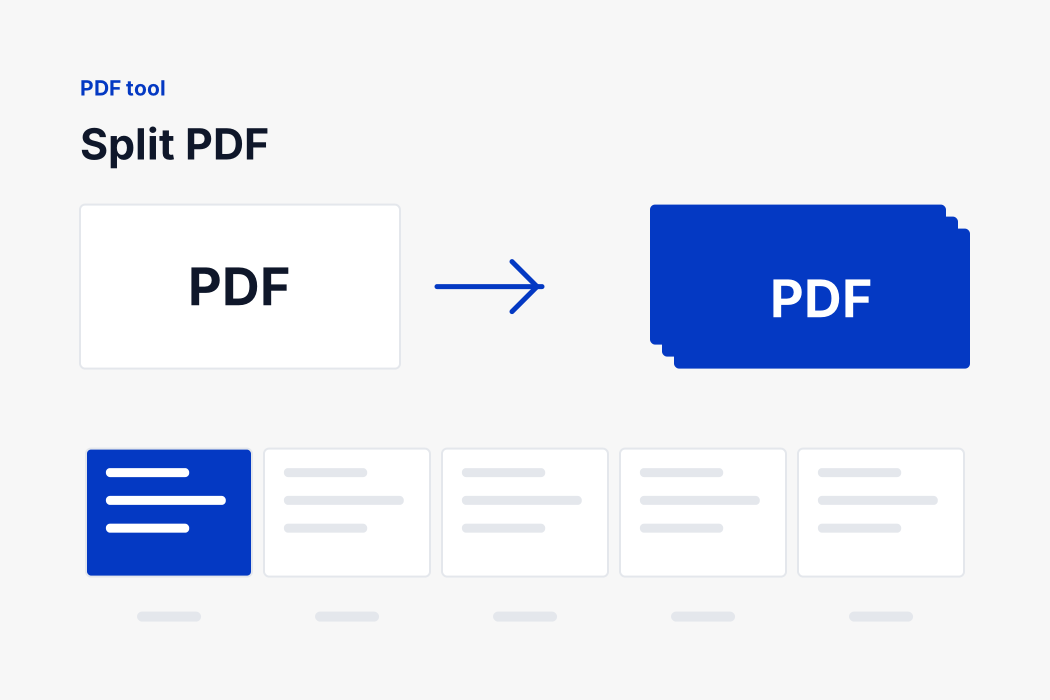
A PDF being separated into its individual pages
How it works

Three steps, no upload

Your browser reads the images and writes the document. There is no queue and no waiting.

1

Add your PDF

Drop the document onto the tool. It is opened where it sits and never uploaded.

2

Read what it says

The page checks whether your file is a scan or real text, and tells you what compressing will cost.

3

Compress and download

Both sizes are shown, before and after, so you can see what you actually got.

How pages are moved without being redrawn

A PDF is a set of numbered objects and a table saying where each one starts. A page is one of those objects, and it points at the others it needs: the fonts it uses, the images it draws, the vector paths that make up its text and its lines.

Copying a page properly means following every one of those references and bringing along whatever it points at, then renumbering all of it so the new document is internally consistent. Do it right and the page arrives whole. Do it wrong and you get a file that opens with the text missing, or does not open at all.

That work is done here by pdf-lib, an MIT licensed library for reading and writing PDFs. It is served from this site rather than fetched from a content network, so the page makes no request to anybody else, and it runs in your browser. Your document is not uploaded, and because the pages are copied rather than rendered, the text in the result is still text you can select, search and copy.

Choosing pages, exactly

What you doWhat you get
Drop the PDFEvery page is drawn as a thumbnail on your own device.
Click a pageIt is marked to keep. Click again to unmark it.
Select every pageMarks the whole document at once.
ClearUnmarks everything so you can start again.
A separate PDF for every pageOne file per page, numbered and zero padded so they sort correctly.
One PDF with the pages I chooseA single document holding exactly the pages you marked, in the order you marked them.

The two results are different things. A separate PDF for every page ignores the marks and gives you the whole document broken up, downloadable singly or as a zip. One PDF with the pages you choose is how you trim a document, or reorder one.

If you ask for one document and have marked nothing, the tool says so rather than handing back an empty file. Nothing is uploaded at any point: the thumbnails and the new documents are all made in the tab you have open.

Why none of this leaves your device

Think about what people actually turn into PDFs. Passports and visas. Bank statements for a loan application. Degree certificates. Rental agreements with a signature on them. Medical letters. Almost every one of those is a document you would not hand to a stranger.

An online converter that works the ordinary way asks you to do exactly that. Your file goes to a server you know nothing about, in a country you were not told, and is processed and stored for some period described in a policy nobody reads. Most of those services are honest. You have no way of checking which ones.

This page removes the question. The conversion runs in your browser, using the image decoder your browser already has and a PDF writer that is part of the page. No file is transmitted, so there is nothing on our side to store, scan, sell or lose. You can disconnect from the internet after the page loads and it will still work, which is the simplest proof there is.

One thing to be straight about: copying pages between documents uses pdf-lib, an open source library published under the MIT licence. It is not our code. We serve our own copy of it from this domain rather than loading it from a content network, so opening this page tells nobody else that you did, and it runs entirely in your browser. The file still goes nowhere.

Choosing the pages

Every page is drawn as a thumbnail the moment the file is read, so you choose by looking rather than by counting. Click a page to keep it, click it again to drop it, and the count underneath says how many you have.

Order is respected. Click page five, then one, then three, choose One PDF with the pages I choose, and you get a document whose pages are five, one and three in that order, which is a quick way to reorder a document as well as to trim one. Choosing a separate PDF for every page ignores the marks and gives you the lot.

What people split a PDF for

  • Sending one page of a statement without sending the other eleven.
  • Removing the pages nobody needs before an upload with a size limit.
  • Separating a scanned batch where several documents were fed through in one go.
  • Pulling out a form or a single certificate from a bundle.

How this compares with the alternatives

An online tool that uploads

The usual arrangement and the one to think twice about here. To split your documents they need your documents, and the documents people split are contracts, statements and applications. Most of those services are honest and you have no way of telling which.

Preview on a Mac

Genuinely capable and already installed: drag pages between thumbnails, delete the ones you do not want, save. If you are on a Mac and the job is small, use it. This page exists for Windows, for phones, and for the times you would rather not open a file manager.

Acrobat and other paid editors

More powerful in every direction, and the right tool if you also need to edit, sign, redact or fill in forms. Also a subscription for something most people need twice a year.

Printing to PDF

A workaround that appears to work. It flattens everything to a fresh document, which usually means the text stops being text and the file gets larger. It is the rendering approach, and it is exactly what this page avoids.

If something does not look right

It says the PDF is password protected

Then it is. A locked document cannot be opened without its password by anything, here or elsewhere. Open it in a reader, enter the password, save an unprotected copy, and use that.

The form fields have gone

An interactive form belongs to the document rather than to a page, so it cannot survive being combined with another document that has its own. If the answers matter, flatten the form first: print it to PDF from your reader, which turns the filled values into ordinary page content.

The pages are in the wrong order

Files are listed in the order the browser handed them over, which for a multiple selection is not always the order you clicked. Every row is numbered and has arrows, so set the order before you press the button rather than after.

The file is as big as everything added together

Because it is. Merging copies pages; it does not compress them. Nothing here makes a PDF smaller, and any tool that claims to while keeping the text is either removing something or not doing what it says.

Nothing happened when I pressed the button

Merging needs at least two readable documents, and splitting needs one. If a row is marked in the list as unreadable it is not counted. A very large document can also take a few seconds before anything appears.

A signed document now says the signature is invalid

That is correct and unavoidable. A digital signature certifies one exact file, and a merged file is a different one. Sign after merging, never before.

Free, with no account and no watermark

No sign-up, no daily limit, no watermark and no page cap. There is no paid tier holding anything back, because the work happens on your computer rather than on a server we have to pay for.

The files keep sensible names. Splitting gives you your own filename with the page number added and zero padded; merging gives you one file called merged.pdf. Nothing is added to the document itself.

If you need the result smaller, compress the images before they become a PDF, or split out the pages you actually need. Our other PDF tools cover turning images into a document and taking a document back to images, all in the same way: on your machine, with nothing uploaded.

FAQ

Split PDF

The questions people ask most about this conversion.

No. Pages are copied out with their text, fonts and images intact rather than being re-rendered, so nothing is rasterised and nothing is lost.

Yes. Choose one PDF with the pages I choose, click the pages you want, and you get a single document containing exactly those, in the order you picked them.

No. It is read and taken apart inside your browser. Nothing is transmitted, which for a bank statement or a contract is the part that matters.

Yes, as a side effect. Click page five, then one, then three, ask for one document, and that is the order you get.

No. A locked PDF cannot be opened without the password, and the page says so rather than failing quietly.

Your own name with the page number added and zero padded, so report-page-01.pdf sorts before report-page-10.pdf.

Completely, with no limit on how many images you convert or how large they are. There is no account, no paid tier and no watermark, because the conversion runs on your device and costs us nothing to provide.

No. There is no app, no extension and no plugin. The page you are on is the whole program, and it works the same on Windows, macOS, Android and iPhone.

No. There is no watermark, no logo and no added page, however many images you convert.

Yes, on both iPhone and Android. Pick images straight from your gallery and the PDF is saved to your downloads like any other file.

No. This page makes a PDF out of images. Reading an existing one needs a full PDF renderer, which is a large program we would have to load from somewhere else, and that would break the promise that nothing leaves your device.

Yes. A pdf splitter, an extract pages from pdf and a pdf split online all describe this page. The names differ because people describe the same job differently; the job itself does not change.

Need a different conversion?

Over a hundred free tools, all running in your browser. Nothing is uploaded and nothing is capped.